What’s in this guide
Finding a stylus that delivers precise lines, smooth interactions, and long-lasting comfort can transform digital drawing and note-taking. The following selections cover a range of devices—from iOS and Android touchscreens to drawing tablets—so artists, students, and professionals can identify a reliable tool for sketching, writing, and designing. Each option emphasizes accuracy, ergonomic design, and ease of use without requiring complex setup.
Below is a quick overview of the five highlighted styluses and tablets, focusing on compatibility, precision, and comfort for drawing and writing tasks on modern screens.
| Product | Brand | Key Strength |
|---|---|---|
| Active Stylus Pen Compatible for iOS & Android | KECOW | 2-in-1 copper tip with mesh end for precision and zoom input |
| 3-Pack Tablets Stylus Pen with Precision Disc Tip | Isvo | High-precision tip, wide device compatibility, no charging |
| Active Stylus Pens for Touch Screens | NTHJOYS | 1.5 mm fine point, magnetized cap, universal compatibility |
| XP-PEN PA2 Battery-Free Stylus | XP-Pen | 8192 pressure levels, tilt up to 60 degrees, battery-free |
| Drawing Tablet StarG640 With Battery-Free Stylus | XP-Pen | Compact drawing tablet with reliable battery-free pen |
Active Stylus Pen for iOS & Android Devices
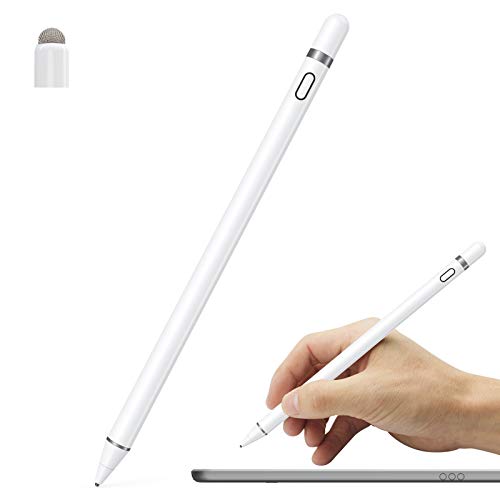
This 2-in-1 stylus offers a copper 1.45 mm tip for precise drawing and a magnetic mesh end that supports input in text boxes and zoom operations. It is designed to feel like a traditional pen and is slim and light for comfortable extended use on iPad, iPad Pro, iPad Mini, iPhone, Samsung phones, tablets, and other touch screens. No drivers or Bluetooth are required, and a single press activates the blue-light indicator to confirm power. A versatile choice for note-taking, sketching, and design tasks across devices.
Isvo 3-Pack Tablet Stylus Pen With Precision Disc Tip

Designed for broad compatibility, this 3-pack includes a precision disc tip for accurate writing and drawing on Android, iOS, Surface, and other touchscreen devices. No charging is needed, and the stylus provides smooth input with a responsive feel for handwriting, sketching, and note-taking. Its lightweight, ergonomic body ensures comfortable use during long sessions across multiple devices.
NTHJOYS Universal Fine Point Stylus
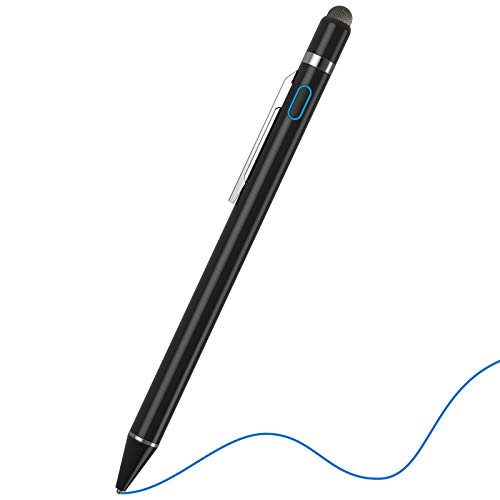
Offering a 1.5 mm ultra-fine tip, this stylus emphasizes precision for drawing and writing on iPad, iPhone, Android devices, and other tablets. It includes a magnetic closure cap to protect the USB port and prevent dirt ingress, plus a convenient pen clip for portability. The design aims to provide an Apple Pencil-like experience at a more economical price, with broad compatibility across popular devices. Note: It does not include palm rejection on all models, so users may adjust settings as needed.
XP-PEN PA2 Battery-Free Stylus

The XP-Pen PA2 stylus is battery-free, eliminating charging interruptions during long drawing sessions. It provides 8,192 levels of pressure sensitivity for nuanced lines and shading, along with a tilt function up to 60 degrees for natural brush angles. This stylus is designed for compatible XP-Pen drawing tablets and is ideal for artists who require consistent performance without the burden of batteries.
Drawing Tablet StarG640 With Battery-Free Stylus

The StarG640 is a compact drawing tablet with a battery-free stylus, designed for Mac, Windows, and Chromebook compatibility. It supports digital drawing, painting, sketching, and e-signatures, making it suitable for online teaching, remote work, and classroom use. With 6×4 inch active area and lightweight construction, it’s a portable option for on-the-go creative sessions.
Buying Guide
- Device compatibility: Choose a stylus that works with your devices (iPad, iPhone, Android, Windows, Mac, or specific tablets). Some models are universal, while others are optimized for certain ecosystems.
- Tip design and precision: Fine-tipped (1.5 mm and similar) or disc-tip styluses offer higher accuracy for drawing and note-taking. Consider whether you need pressure sensitivity and tilt support for shading and line variation.
- Power and connectivity: Battery-free pens reduce maintenance, but some users prefer Bluetooth-enabled options with palm rejection and advanced features. Check whether charging is required and how long it lasts.
- Ergonomics and weight: Look for lightweight, balanced designs with comfortable grips and clip options for portability during long sessions.
- Durability and protection: Magnetic caps or protective tips help prevent damage and keep ports clean, especially for travel or frequent use.
- Value and bundles: When comparing multiple-pack options, assess whether the extra pens offer genuine value for your devices and workflow, especially if you share with colleagues or students.
- Software considerations: Some styluses work best with particular apps or software ecosystems. Verify compatibility with your preferred drawing or note-taking apps.
All listed products are designed to facilitate drawing and writing across a variety of devices. Your final choice should balance device compatibility, precision needs, and how you intend to use the stylus in daily practice, whether for professional illustration, education, or casual sketching.