What’s in this guide
Choosing the right printer for a small business requires balancing speed, reliability, and cost of ownership. The following picks cover inkjet and laser options with features like duplex printing, scanning, and wireless connectivity. Each product is evaluated for everyday office tasks, project workflows, and the ability to scale as your business grows.
| Product | Brand | Key Benefit | Type |
|---|---|---|---|
| Epson EcoTank ET-2980 | Epson | Low ink costs, high page yield | Inkjet All-in-One |
| Brother MFC-L8905CDW | Brother | Fast color laser, secure printing | Color Laser All-in-One |
| HP LaserJet MFP M234dw | HP | Compact, fast monochrome with mobile printing | Monochrome Laser All-in-One |
| Canon Pixma iX6820 | Canon | Business-grade printing with AirPrint | Wireless Office Printer |
| Brother MFC-L5710DW | Brother | High-volume duplex printing and scanning | Monochrome Laser All-in-One |
Epson EcoTank ET-2980 Wireless All-in-One
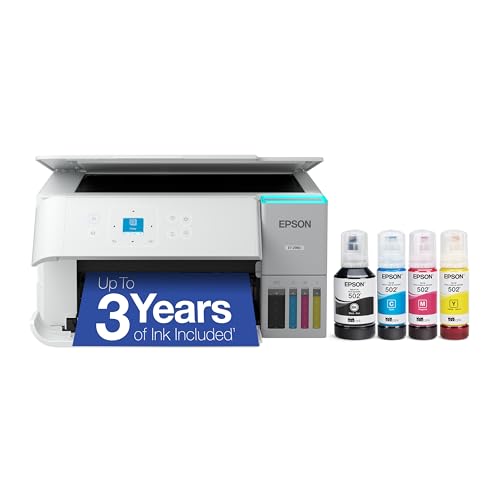
The Epson EcoTank ET-2980 combines an all-in-one design with refillable ink tanks, delivering low operating costs—an important factor for small businesses managing ongoing print volumes. It includes enough ink for years of printing in typical office use and emphasizes simple refilling with EcoFit bottles to minimize mess and errors. The model supports wireless connectivity and auto duplex printing, making it a practical option for departments that print a mix of color and black-and-white documents.
Brother MFC-L8905CDW Color Laser All-in-One

Designed for busy offices, the Brother MFC-L8905CDW delivers high-speed color laser printing and robust security features. Its advanced workflow tools and reliable duplex capabilities help teams stay productive, with flexible connectivity options to support mobile and cloud-based workflows. The model is well-suited for teams that require secure document handling and fast turnarounds on client-facing materials.
HP LaserJet MFP M234dw Wireless Printer

This HP model focuses on efficiency for small teams needing reliable monochrome output with fast first-page-out and strong two-sided printing speed. Its compact design fits tight office spaces, and built-in wireless makes it easy to print from laptops, tablets, and phones. It’s a practical choice for cost-conscious offices that require dependable everyday performance.
Canon Pixma iX6820 Wireless Business Printer

The Canon Pixma iX6820 supports wireless business printing with broad OS compatibility and cloud printing options. It’s suitable for small businesses that need to print marketing materials, client letters, and reports with acceptable speed and color fidelity. The model leverages Canon’s print head technology to achieve sharp results on larger formats and coated media.
Brother MFC-L5710DW Business Monochrome Laser

The Brother MFC-L5710DW provides high-volume monochrome printing with fast speeds and a capable document feeder. Designed for efficiency, it supports duplex scanning and printing, plus wireless networking. It’s an economical option for teams that primarily handle black-and-white documents, such as invoices, reports, and internal communications, while still offering scan-to-cloud and email capabilities.
Buying Guide
When choosing a screen-printer solution for a small business, consider the following factors to ensure a fit with your operations:
- Print volume and total cost of ownership: Ink-tank models (like Epson EcoTank) can lower long-run costs for high-volume color printing, while laser printers (like Brother and HP) excel in fast, high-volume monochrome output.
- Color vs. monochrome needs: If marketing materials and visuals are frequent, prioritize color-capable devices with reliable color accuracy and media handling.
- Duplex printing and scanning: Automatic two-sided printing and efficient scanning streamline workflows, reduce paper usage, and support digitization efforts.
- Connectivity and mobility: Wireless, Ethernet, and cloud-print support are essential for modern offices; verify device compatibility with your devices and apps.
- Security features: For offices handling sensitive client information, models with robust access controls, secure print, and network security features are important.
- Maintenance and ink/toner availability: Look for printers with readily available replacement supplies and simple refilling or cartridge replacement processes.
- Media support and print quality: Consider print head technology, media types, and maximum print sizes to match your business needs for reports, proposals, and marketing collateral.