What’s in this guide
For aspiring artists and students, a beginner-friendly graphic tablet can unlock a world of digital creativity without a steep learning curve. The following selections emphasize ease-of-use, reliable stylus performance, and helpful features like customizable shortcuts, tilt support, and ready-to-use software options. Each option is well-suited for drawing, note-taking, and learning art fundamentals on a computer, laptop, or compatible mobile devices. Use this guide to compare entry-level tablets by pen sensitivity, screen availability, and overall value for beginner artists in the United States.
| Product | Brand | Key Feature |
|---|---|---|
| HUION Inspiroy H640P | HUION | Compact 6×4 inch with battery-free stylus |
| XP-Pen Deco 01 V3 | XP-Pen | 8 hotkeys; 16,384 pressure levels; battery-free |
| PicassoTab X | Simbans | Standalone, no computer required, 10-inch screen |
| GAOMON PD1161 | GAOMON | 11.6-inch fullHD screen with battery-free stylus |
| XPPen Artist 13.3 Pro | XP-Pen | Full-laminated display; 60-degree tilt; 8192 levels |
HUION Inspiroy H640P Drawing Tablet

The HUION Inspiroy H640P offers a compact 6×4 inch active area and a battery-free stylus with 8192 levels of pressure sensitivity, making it a popular choice for beginners who want a simple, portable tablet. Its six customizable shortcut keys simplify common tasks, while Huion’s driver lets you tailor shortcuts to different apps. The lightweight, thin profile (about 0.3 inches thick and 1.41 pounds) makes it easy to travel between home, school, or studio workspaces. This model focuses on essential drawing and writing tasks without overwhelming new users with extraneous features.
Why beginners might choose it: a small, affordable entry point that still delivers solid pen control and responsive input. The PW100 stylus mimics the feel of a traditional pen, supporting precise lines and natural shading. It’s compatible with Mac, Windows, and some mobile devices, which helps new artists experiment across devices. For students or hobbyists wanting a distraction-free tablet while learning digital fundamentals, this is a strong starting option.
XPPen Artist 13.3 Pro Drawing Tablet
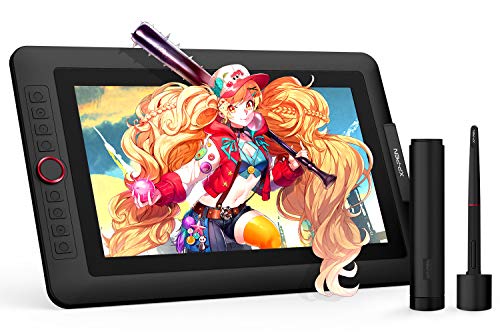
The XP-Pen Artist 13.3 Pro delivers a full-color, fully laminated display with 13.3 inches of drawing space. It supports up to 60 degrees of tilt and 8192 levels of pressure sensitivity, enabling smooth shading and natural brush control. The display provides a wide color gamut and a 178-degree viewing angle for consistent previews, which is valuable for beginners learning color accuracy and digital painting techniques. Although it requires a computer connection, its high color fidelity and tilt- sensitive stylus make it a compelling step up for aspiring artists ready to work directly on screen.
Why beginners might choose it: a balance of on-screen drawing with robust color performance and plenty of shortcuts. The included 3-in-1 cable keeps setup straightforward, and the large, comfortable drawing area helps users develop precise control as they grow their skills. The combination of hardware reliability and software compatibility makes this model a strong learning tool for serious newcomers.
PicassoTab X Drawing Tablet
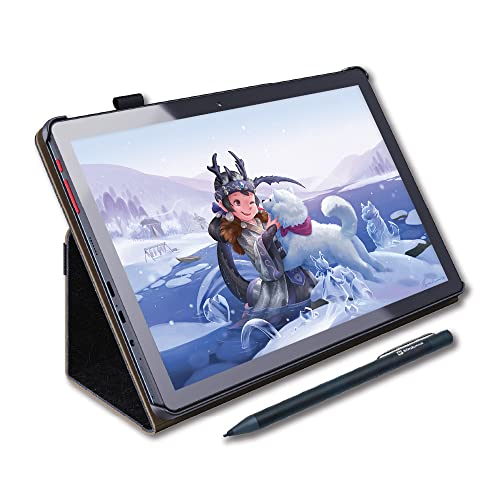
The PicassoTab X is a standalone 10-inch tablet designed for beginners who want an all-in-one solution without a computer. It ships with pre-installed drawing and animation apps, plus four bonus items like a tablet case and screen protector, adding value for students and hobbyists. The device emphasizes ease of use with a straightforward drawing experience, an approachable interface, and a decent screen for the price. This tablet aims to lower entry barriers for those who prefer an on-device experience over computer-based tools.
Why beginners might choose it: ideal for quick-start learning, note-taking, and on-the-go practice. The included apps and tutorials help new artists start drawing right away and gradually expand their toolkit as they gain confidence. Its portability and bundled extras make it a compelling gift for younger creators or learners evaluating standalone tablets before committing to a more advanced setup.
GAOMON PD1161 Drawing Tablet With Screen
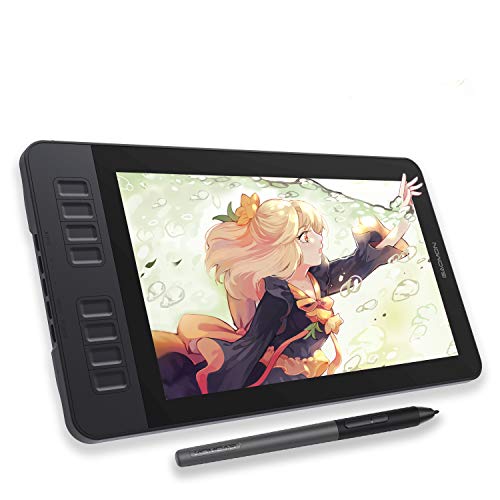
The GAOMON PD1161 provides a larger 11.6-inch full HD display with a battery-free stylus and tilt support, expanding the drawing area while maintaining pen responsiveness. The device emphasizes color accuracy with a 72% NTSC (100% sRGB) gamut, delivering richer and more lifelike hues for beginners learning shading and color mixing. Although it requires a computer connection, the on-screen drawing experience can accelerate skill development by providing immediate visual feedback and more natural brush dynamics.
Why beginners might choose it: a larger screen that helps learners develop better hand-eye coordination and precision. The direct-on-display drawing mirrors traditional sketching workflows, which can shorten the transition from paper to digital art. The combination of tilt support and a robust color profile makes this model a practical step toward more advanced painting tasks as skills grow.
Buying Guide
Key purchase considerations for beginners include ease of setup, portability, and price-to-performance value. Consider whether you want a non-display tablet for a compact, affordable entry or a display tablet that lets you draw directly on screen. Pen pressure levels (most entry models offer 8192 levels), tilt support, and the number of programmable shortcut buttons affect your workflow efficiency. Ensure compatibility with your computer’s operating system (Windows or macOS) and whether the tablet supports Android or iOS if you plan to use mobile apps. A stand-alone tablet can be appealing for students who want to learn without a computer, while a display tablet may better suit those transitioning to digital painting with on-screen accuracy. Look for bundled software or tutorials, as these can accelerate learning. Finally, consider the build quality and portability if you plan to travel with your device, as lighter, thinner models are easier to carry between classes or studios.
Comparative notes for beginners: non-display tablets are generally more budget-friendly and compact, making them ideal for intro experiments and handwriting tasks. Display tablets offer a more natural drawing experience but typically come at a higher price and require a computer connection. For learners who anticipate long practice sessions, a larger drawing area, comfortable grip, and easy customization of shortcuts will reduce fatigue and boost consistency. If you value color accuracy and direct-on-screen feedback, prioritize models with fully laminated displays and wide color gamuts. Evaluate customer support and driver stability, since smooth software updates help prevent calibration headaches during practice routines.