What’s in this guide
Finding the right drawing tablet can transform how you work in Photoshop and Illustrator. This guide features five popular options that balance pen accuracy, software compatibility, and portability for American creatives. Whether you’re a student, teacher, or professional designer, the tablets below are selected for reliable performance across mainstream digital art workflows.
Summary of chosen products:
| Product | Brand | Active Area | Key Benefit |
|---|---|---|---|
| Wacom Intuos Small Bluetooth | Wacom | Small active area | Pen-on-paper feel, wireless option |
| UGEE M708 | UGEE | 10 x 6 in | Large drawing space, affordable |
| XPPen Artist 13.3 Pro | XP-PEN | 13.3 in display | Fully featured with color accuracy |
| HUION Inspiroy H1060P | HUION | 10 x 6.25 in | High customization, battery-free stylus |
| XPPen Deco 01 V3 | XP-PEN | 10 x 6 in | Ambidextrous design, multiple shortcuts |
Wacom Intuos Small Bluetooth Tablet

The Wacom Intuos Small Bluetooth is a compact, battery-free EMR tablet designed for precise control across Photoshop and Illustrator. Its wireless connectivity supports comfortable, desk-free working setups, while the EMR technology provides a pen-on-paper feel that many professional designers prefer. It’s compatible with major operating systems and software, making it a versatile choice for students and creators who value consistency in a portable form factor.
Key features include customizable ExpressKeys for quick access to common tools, broad compatibility with Chromebooks and Windows/macOS/Android devices, and a responsive drawing experience that remains accurate across various software ecosystems. For users who prioritize a familiar pen experience in a smaller footprint, this model remains a strong baseline option.
UGEE M708 10×6 Large Drawing Tablet
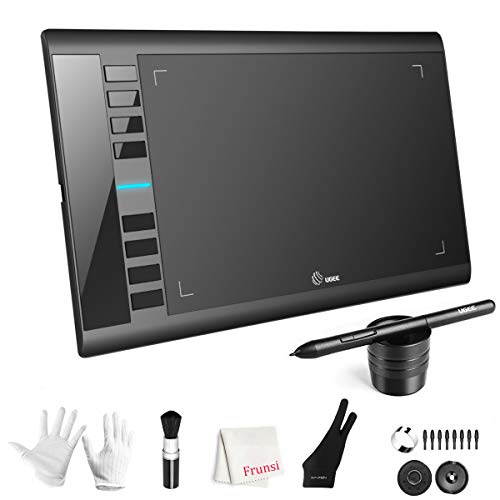
The UGEE M708 offers a substantial 10 x 6 inch drawing area with a papery texture surface for a natural feel. Its 8192 levels of pressure sensitivity on a passive stylus deliver smooth lines and nuanced control suitable for Photoshop and Illustrator work. The tablet supports Windows, macOS, Android, and Chrome OS, broadening device compatibility for students and educators who switch between platforms. Its balance of space and affordability makes it a practical choice for entry- to mid-level digital artists.
Highlights include no-lag sketching, strong pressure responsiveness, and wide software compatibility. The larger active area helps with detailed work, while the straightforward driver setup keeps the workflow efficient for those who want reliable performance without a steep learning curve.
XPPen Artist 13.3 Pro Drawing Tablet
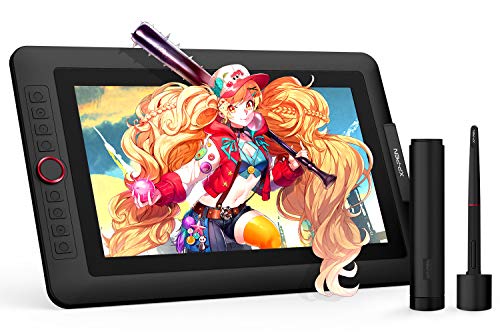
The XPPen 13.3 Pro is a drawing tablet with a full-color display, ideal for Photoshop and Illustrator users who want direct-from-screen drawing. It features a tilt-capable pen with up to 60 degrees, 13.3 inches of expressive canvas, and a color gamut that supports vibrant visuals. While it requires a computer connection, the integrated screen can streamline workflows by eliminating the need to translate between off-screen drawing and on-screen edits. This model suits artists who want a more immersive, monitor-integrated experience.
Key strengths include high color accuracy, a robust 16,384-level pen, and a broad software footprint. It’s well-suited for detailed vector work and nuanced shading that benefits from direct screen feedback, though it comes with a steeper setup due to its display integration.
HUION Inspiroy H1060P Graphics Tablet
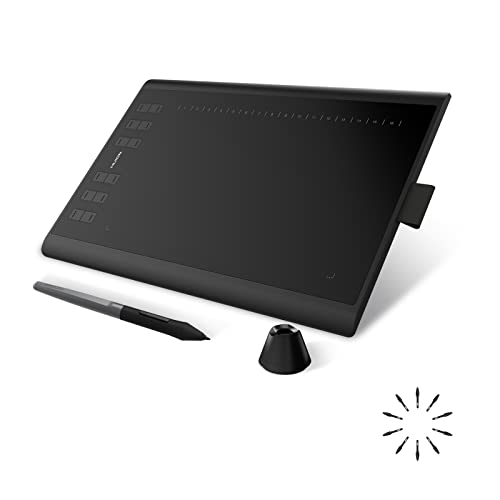
The HUION Inspiroy H1060P provides a large 10 x 6.25 inch working area with a battery-free stylus and 8192 levels of pressure sensitivity. It includes 12 programmable keys and 16 soft keys to customize shortcuts, enabling faster access to common Photoshop and Illustrator tools. The tablet’s slim profile and light weight enhance portability, making it a strong option for on-the-go artists who still require substantial drawing space and precise input for digital art and design tasks.
Its customizable keys, tilt support, and efficient driver software support a wide range of creative workflows. The H1060P is particularly attractive for users who appreciate a higher degree of shortcut personalization and a generous drawing area without stepping up to a display tablet.
XPPen Deco 01 V3 Drawing Tablet

The XP-Pen Deco 01 V3 emphasizes an ergonomic, ambidextrous layout with eight customizable shortcut keys. It uses a battery-free stylus with 16,384 pressure levels and 60 degrees tilt support for nuanced shading in Photoshop and Illustrator. The tablet is designed to work well with Android devices and has Android-specific mapping considerations, alongside compatibility with Windows and macOS. This model is ideal for users who want a comfortable drawing experience with flexible-handed use and practical shortcut customization.
Buying Guide
- Active area and size: Larger tablets provide more space for detail in Photoshop and Illustrator, reducing zoom and pan. Consider available desk space and comfort during long sessions.
- Pen technology: Battery-free EMR pens reduce maintenance and weight, but some users prefer battery-powered pens for consistent feel. Check pressure sensitivity (usually 8192 levels) and tilt support for shading realism.
- Display vs. non-display: Display tablets (like XP-Pen Artist 13.3 Pro) allow direct drawing on-screen, aiding accuracy. Non-display tablets rely on a separate monitor, often at a lower price point and lighter weight.
- Shortcut customization: Programmable keys and software drivers enable quick access to tools in Photoshop and Illustrator, improving workflow speed and ergonomics.
- Compatibility: Ensure OS support (Windows, macOS, Android, Chrome OS) and driver availability for your preferred software. Cross-platform tablets can simplify classroom or mixed-ecosystem setups.
- Portability: If you travel or teach on the go, consider weight, battery life (where applicable), and wireless options for flexible use across desks and classrooms.
- Budget and value: The most affordable options still offer solid performance for beginners and students, while mid-range devices often provide larger drawing spaces and more shortcut options for professionals.
- Support and updates: Look for tablets with active driver updates and reliable customer support to address compatibility with the latest versions of Photoshop and Illustrator.
In choosing between these options, prioritize whether you prefer a display tablet for direct-on-screen drawing or a traditional tablet with a separate monitor. For Photoshop and Illustrator work, a larger active area, responsive pen with good pressure and tilt response, and well-designed shortcut keys typically yield the most efficient workflow. The Wacom Intuos Small offers strong reliability and portability; UGEE M708 provides generous space at a lower cost; XP-Pen Deco 01 V3 and HUION H1060P deliver robust shortcut ecosystems; and the XP-Pen Artist 13.3 Pro adds a full color display for immersive drawing tasks. Each choice serves different priorities, from portability to on-screen drawing fidelity.