What’s in this guide
Finding the right drawing tablet for Mac can boost creativity, precision, and productivity. This guide highlights five popular options compatible with Mac OS, emphasizing portability, battery-free styluses, and easy workflow customization. Each pick balances performance with affordability, helping artists, students, and educators work more efficiently on Mac systems.
| Product | Brand | Notable Benefit |
|---|---|---|
| Wacom Intuos Small | Wacom | Battery-free EMR precision, wireless option |
| XP-Pen StarG640 | XP-PEN | Ultra-compact, battery-free stylus, budget-friendly |
| XP-Pen Deco 01 V3 | XP-Pen | High pressure levels, Android support, ergonomic shortcuts |
| HUION Inspiroy H950P | HUION | Balanced size, battery-free pen, customizable keys |
| HUION Kamvas Pro 16 | HUION | Screen display, vivid color, express keys |
Wacom Intuos Small Bluetooth Graphics Tablet

The Wacom Intuos Small offers industry-leading EMR technology for a pen-on-paper feel. Its compact design fits Mac setups well, and it supports wireless Bluetooth or USB connection for flexible workspaces. It works with any software, making it suitable for drawing, photo editing, and document markup, with 4 customizable ExpressKeys for quick access to favorite tools.
XP-Pen StarG640 Battery-Free Drawing Tablet
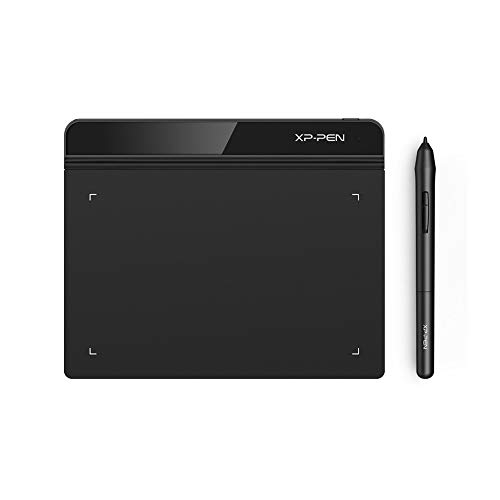
The StarG640 provides a compact solution with a battery-free stylus to ensure uninterrupted drawing sessions. It’s ideal for Mac users who need a portable tablet for online classes, note-taking, or design work. It’s compatible with Mac OS and Windows, and its slim profile makes it easy to carry between home, school, and office.
XP-Pen Deco 01 V3 Drawing Tablet

The Deco 01 V3 features 16,384 pressure levels with tilt support and a battery-free stylus for a natural drawing feel. It includes 8 customizable express keys, supporting both right- and left-handed users. It also adapts well to Android devices, making it a versatile choice for Mac users who collaborate across devices.
HUION Inspiroy H950P Drawing Tablet

The Inspiroy H950P combines a compact form with battery-free PW100 stylus and 8 programmable keys. It’s designed to streamline workflows on Mac and PC, letting users customize shortcuts to fit their preferred apps, making it a solid mid-size option for artists and students alike.
HUION Kamvas Pro 16 Drawing Tablet With Screen
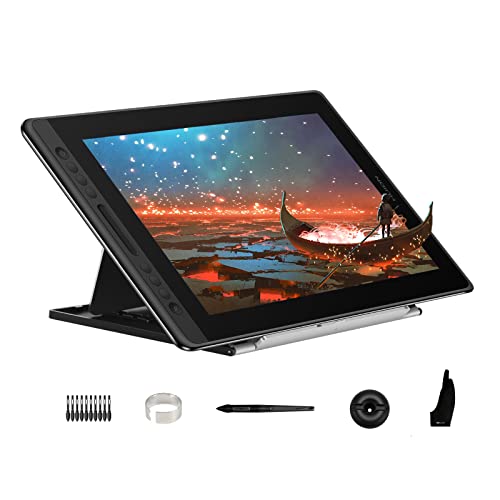
The Kamvas Pro 16 is a pen display with a 15.6-inch screen and anti-glare glass. It delivers vibrant color and a natural drawing experience with 6 express keys and a touch bar to speed up tasks. It supports Windows, Mac, and Linux, enabling Mac users to work directly on-screen with precise color and detail for design, illustration, and photography post-production.
Buying Guide: Key Purchase Considerations
When choosing a drawing tablet for Mac, consider these factors to align with your workflow:
- Pen technology: Battery-free styluses minimize interruptions; EMR options offer a pen-on-paper feel and reliable latency.
- Display vs. non-display: On-screen tablets (like Kamvas Pro 16) provide direct drawing on display, while non-display tablets attach to a computer or Mac for input.
- Pressure sensitivity and tilt: Higher pressure levels (e.g., 8192 or 16384) and tilt support improve line variation and shading.
- ExpressKeys and shortcuts: Customizable keys speed up tools in your favorite apps (Photoshop, Illustrator, etc.).
- Mac compatibility and software support: Ensure drivers work well with macOS and preferred software suites.
- Portability and size: Compact tablets travel easily for students and professionals on the go; larger displays suit detailed work at a desk.
- Connectivity: Bluetooth and USB options offer flexible setups, including classroom or living-room workspaces.
- Price-to-performance balance: Entry-level models deliver solid capability for beginners, while advanced displays serve professionals with higher color accuracy and precision.