What’s in this guide
- XP-Pen Artist13.3 Pro: Compact Screen Tablet
- HUION Kamvas Pro 16: Balanced Color and Comfort
- GAOMON PD1161: Compact Screen Tablet
- VEIKK VK1200 V2: 11.6-Inch Screen Tablet
- HUION Kamvas 13 Gen 3: Compact Colorful Display
- XP-Pen Artist13.3 Pro V2: Premium Screen Tablet
- Buying Guide: What to Consider When Choosing an Affordable Drawing Tablet With Screen
Discover accessible drawing tablets with screens that blend price and performance for aspiring artists and digital designers. The following five picks deliver colors, responsiveness, and usable features without breaking the bank. Each option supports creative work on PC, Mac, and some Android devices, with pen input, color accuracy, and a range of express keys for smoother workflows.
| Product | Brand | Screen Size | Key Features |
|---|---|---|---|
| XPPen Artist13.3 Pro | XP-PEN | 13.3″ | 8 shortcut keys, tilt support, 8,192 pressure levels, full-laminated display |
| HUION Kamvas Pro 16 | HUION | 15.6″ | Anti-glare, 6 express keys, 120% sRGB, touch bar option |
| GAOMON PD1161 | GAOMON | 11.6″ | Full HD screen, 8 shortcut keys, tilt support |
| VEIKK VK1200 V2 | VEIKK | 11.6″ | Full-laminated, anti-glare, two battery-free pens, USB-C + adapters |
| HUION Kamvas 13 (Gen 3) | HUION | 13.3″ | Canvas Glass, PenTech 4.0, 16384 levels, 99% sRGB |
Whether you’re sketching, illustrating, or editing photos, these options balance display quality, pen performance, and workday usability. Below are five detailed product sections to help you compare features and determine which fits your budget and workflow.
XP-Pen Artist13.3 Pro: Compact Screen Tablet
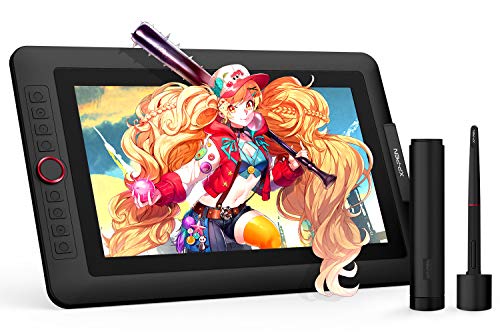
The XP-Pen Artist13.3 Pro offers a 13.3-inch full-laminated display with 178-degree viewing angles and color accuracy in the 88% NTSC range (Adobe RGB ≈ 91%, sRGB ≈ 123%). Tilt support up to 60 degrees enables shading and smoother transitions, helping artists replicate brushwork efficiently. The device includes a 3-in-1 cable for computer connectivity and 8 shortcut keys for quick access to common actions. This model emphasizes color clarity and natural pen input for professional-style results at a more approachable price point.
HUION Kamvas Pro 16: Balanced Color and Comfort
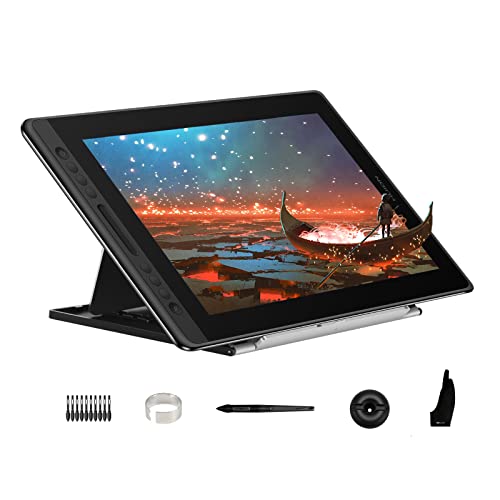
Kamvas Pro 16 features a 15.6-inch full-laminated screen with anti-glare glass for comfortable drawing. It delivers vibrant color with 120% sRGB (92% AdobeRGB) and a 1000:1 contrast ratio for clear shadows and highlights. Six express keys plus a display-aware touch bar streamline workflow, enabling quick zoom, brush size changes, and preferred shortcuts. This model emphasizes color accuracy and a smooth creative process, suitable for illustrators and designers who need reliable performance across long sessions.
GAOMON PD1161: Compact Screen Tablet
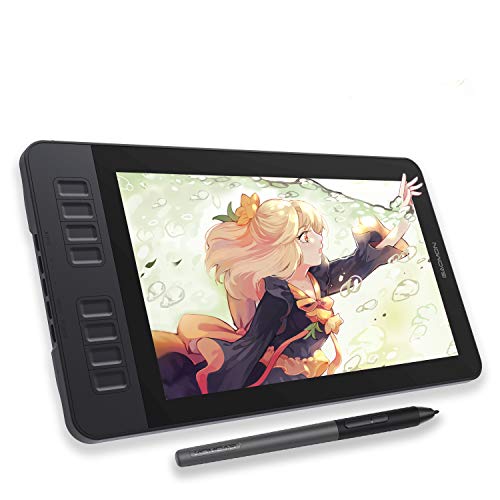
GAOMON PD1161 is an 11.6-inch full HD display tablet designed for on-screen drawing and editing. It requires connection to a computer to operate and includes an on-screen drawing experience with a pre-installed matte film to reduce glare. The color performance relies on 72% NTSC (100% sRGB) with 16.7 million colors, delivering smoother color transitions for digital illustration. Its compact size makes it portable for students or professionals with limited desk space.
VEIKK VK1200 V2: 11.6-Inch Screen Tablet

VEIKK VK1200 V2 provides a full-laminated 11.6-inch display with anti-glare glass and 1920×1080 resolution. It supports tilt recognition with 8192 levels of pressure sensitivity and battery-free pens for uninterrupted drawing. Connectivity includes USB-C for power, data, and video, plus HDMI and USB-C adapters for devices without USB-C. This model is designed for Windows, macOS, and Linux users seeking a versatile, affordable pen display with robust port options.
HUION Kamvas 13 Gen 3: Compact Colorful Display

The Kamvas 13 Gen 3 introduces Canvas Glass with anti-sparkle features to reduce glare while improving accuracy. It uses PenTech 4.0 with 16,384 levels of pressure sensitivity and 2g IAF, ensuring a fluid drawing feel. With 99% sRGB and 16.7 million colors, colors appear vibrant and accurate. The device targets artists who want a compact, color-true screen with reliable pen performance in a portable form factor.
XP-Pen Artist13.3 Pro V2: Premium Screen Tablet

The Artist13.3 Pro V2 from XP-Pen combines a 13.3-inch FHD display with 16,384 pressure levels and tilt support up to 60 degrees, offering a natural drawing experience. The device features a red 24-step dial and eight shortcut keys for customizable workflows, ideal for Photoshop, ZBrush, and CAD tasks. The overall color accuracy includes 99% sRGB and strong downstream color reproduction, providing reliable proofing for digital artwork and design work.
Buying Guide: What to Consider When Choosing an Affordable Drawing Tablet With Screen
Key factors to evaluate include display quality, pen input, and workflow features. The best value often balances color accuracy with responsiveness, while considering your setup and software ecosystem.
- Display quality and color: Look for sRGB and Adobe RGB coverage, brightness levels, and full-lamination to minimize parallax and improve accuracy.
- Pen sensitivity and tilt: Higher pressure levels and tilt support yield more nuanced brushwork and shading control. Battery-free pens reduce maintenance.
- Size and portability: Screen size affects comfort and desk space. Smaller tablets suit travel or tight desks; larger displays aid precision.
- Connectivity and compatibility: Ensure USB-C, HDMI, or other cables align with your computer or laptop. Check OS support (Windows, macOS, Linux) and Android compatibility if relevant.
- Express keys and workflow: Customizable buttons and dial controls can speed up common tasks and reduce switching between software tools.
- Stand and ergonomics: A reliable stand or adjustable stand helps maintain comfortable drawing posture during long sessions.
- Software ecosystem and updates: Some tablets ship with bundled apps or tutorials; ongoing driver support is important for compatibility with design apps.
When choosing, compare the trade-offs between screen size, color gamut, and input latency. If you primarily sketch or annotate, a smaller, responsive display with strong color accuracy may suffice. For color-critical work like digital painting or photo editing, prioritize a broader color gamut and better contrast. Consider future-proofing with pen technology that supports tilt and high pressure levels to maximize long-term usability.